Identify whether the failure occurs during download, listing or extraction before assuming the archive is damaged.
The sender says everything is neatly packed in a ZIP, but Windows refuses to open it. That message can make an entire folder of work feel lost. An opening failure does not prove that every file inside is damaged. You may have an incomplete download, an unsupported encryption method or a file with the wrong extension.
Keep the received copy, record the message and identify the stage that fails. Those details help the sender respond more effectively than “the file is broken”.
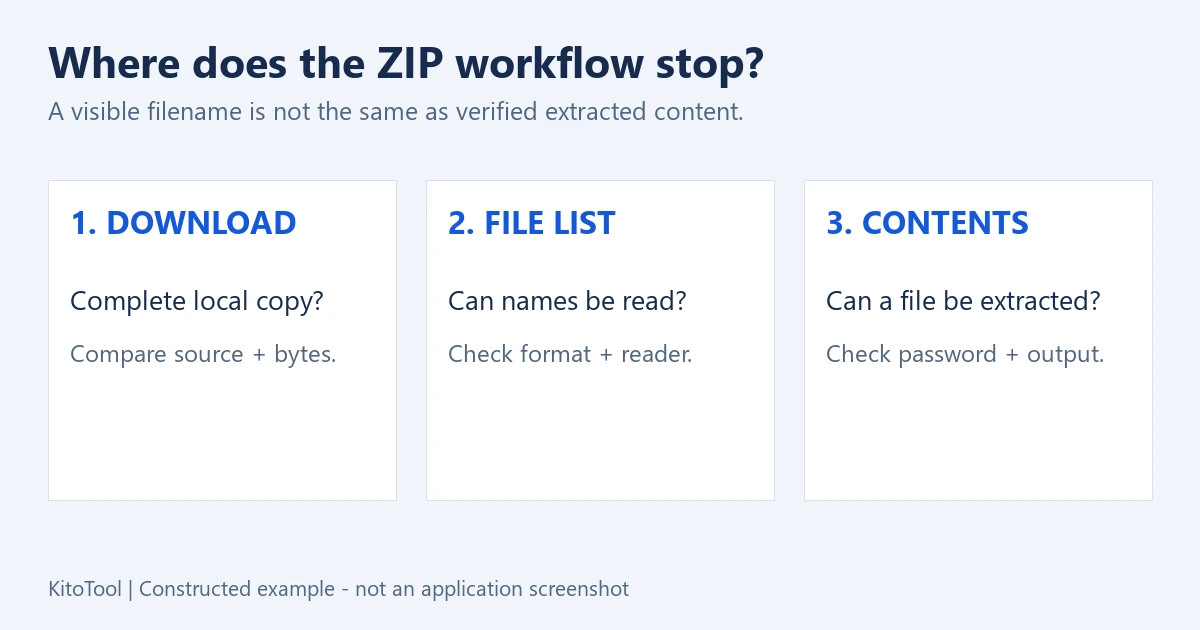
Does the file list fail, or does one extraction fail?
If no list appears, investigate the archive’s completeness and actual format. If names appear but extraction fails, also consider passwords, compression or encryption support, an individual entry’s data and the destination folder.
| Observation | First useful check | Avoid assuming |
|---|---|---|
| The browser shows a pending or interrupted download | Complete it or download again | A partial copy is the full archive |
| Windows refuses it but a suitable archive application opens it | Application support | Renaming will repair it |
| A password prompt appears | Confirm the password, including case and spaces | Every decryption failure means a typo |
| One listed entry produces CRC or Data error | Obtain and check the source copy of that entry | A visible filename proves intact contents |
| The archive is readable but files cannot be saved | A short writable destination with enough free space | Every extraction problem is archive damage |
Establish that you have the whole download
Check the browser’s download list rather than the filename alone. For a cloud-synchronised location, make sure the full local copy is available. Ask the sender for the complete name and size in bytes if possible; rounded MB figures are an imprecise comparison.
Do not apply a rule such as “every ZIP below 1 KB is corrupt”. A very small archive can be valid. A large one can still be missing its ending. Matching sizes also do not prove byte-for-byte identity.
Keep redownloaded copies distinguishable so you know which one you tested. If the sender provided split parts such as .zip.001, confirm that you have the complete set and the intended software. Renaming one part does not assemble the rest.
A ZIP extension is not a guarantee of format or support
Show filename extensions in File Explorer when needed. A RAR archive, a 7Z file or an error page saved with a .zip name does not become a valid ZIP through renaming.
Built-in Windows archive support varies with version and updates. For encrypted archives, Microsoft documents limitations in its integrated tools and suggests suitable applications. “Unsupported” should not automatically be interpreted as “the contents are destroyed”.
If installing an archive application is appropriate, obtain it from its official source and confirm support for the method used. On a managed work computer, ask IT or request a compatible package from the sender. Disabling protection is not a useful first test for an unfamiliar attachment.
The official 7-Zip FAQ distinguishes incorrect ZIP headers from unsupported methods. No application should be assumed to understand every file with the same extension.
A file listing is not a contents check
Names may be readable before each entry’s payload has been decrypted and decompressed. Extract one small file you actually need, then open it in its appropriate application.
For CRC or Data errors, record the exact entry and message. A failed integrity check alone does not tell you whether damage arose during creation, transfer or storage. For encrypted entries, also verify the password and encryption support. An output file appearing in a folder is not sufficient proof that it is complete.
For a valid ZIP you want to inspect in a browser, KitoTool ZIP Extractor lists entries, supports selection and presents a password input when encrypted entries are detected. It accepts ZIP, does not convert RAR or 7Z, and does not repair damaged archives. Reading still depends on the methods in the source; use the sender or suitable specialist software when the file is incompatible.
Give the sender a message they can act on
For example: “I received documents.zip and the download completed. I can see the file list, but extracting report.pdf produces a CRC error. Could you extract that entry from the exact archive you sent and resend a checked copy?”
If the list never appears, say that. If saving fails only in one folder, identify the destination. Ask the sender to test the package actually delivered, rather than just opening the original documents before compression.
You can also download a small control ZIP containing two text files to see whether the application opens an ordinary ZIP. Success is a comparison point, not proof that the real archive is valid or supported.
A vague error should not force you through every repair tip you can find. Locating the failed stage gives you a sensible next action: retrieve the whole download, confirm the password, use a compatible reader, change the destination or request a fresh package.